


Integrate programmable systems in a product


Lesson details
Learning outcome
I can safely secure electrical components into designs.
Key learning points
- When we use electrical components, we need to follow rules to stay safe.
- Wire strippers can create wires that can be hidden within designs, instead of using crocodile clips.
- Alarm inputs, such as a push-to-make switch, need to be placed near the artefact they are protecting.
- Electrical components can be secured using electrical tape.
Keywords
Push-to-make switch - controls a circuit by pushing the connection together
Micro:bit pins - connections on the edge of the board used to add offboard components
Electrical wire - usually made from copper and covered with insulation to prevent electrical shock
Safety measures - actions taken to prevent accidents when working with electricity
Common misconception
Crocodile clips have to be used to connect the components together.
Whilst crocodile clips can be used effectively, electrical wire from educational stockists can be used as a cheaper alternitive.
Teacher tip
Using coils of electrical wire from educational stockists is flexible and cheaper to use than crocodile clips. Having some wires cut and stripped ready before the lesson can enable pupils to access the work quickly.

Equipment
Museum artefact prototypes and a shoe box museum gallery prototype. Electrical components chosen by the class/teacher, wire strippers, electrical tape, micro:bit with downloaded hex file program.

Licence

Lesson video
Loading...
Prior knowledge starter quiz
6 Questions
Q1.What is a micro:bit used for?

Q2.What should you do last when building a circuit?
Q3.Which material covers electrical wires for safety?
Q4.What is a push-to-make switch used for?
Q5.Why do we use electrical tape in electrical circuits?
Q6.What is electricity used for in a circuit?
Assessment exit quiz
4 Questions
Q1.Which of these is not good advice for keeping safe with electrical components?
Q2.Which of these is less likely to be in an electrical circuit for a museum gallery alarm prototype?
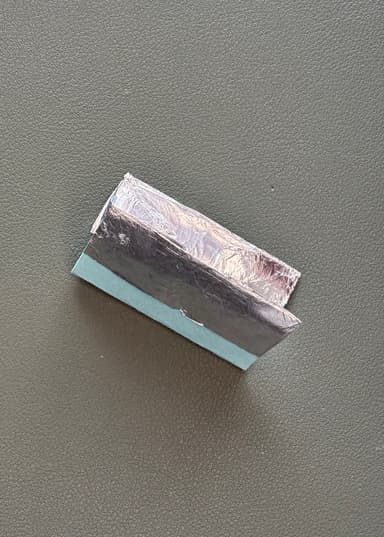
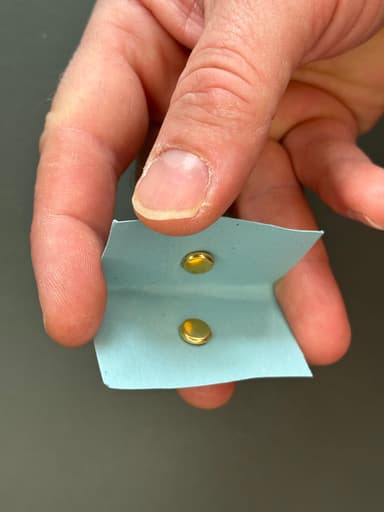
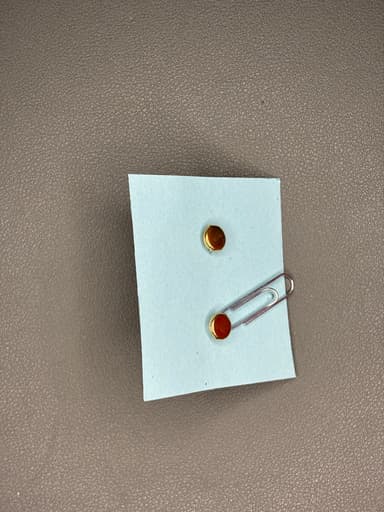
Q3.Wire strippers can strip away plastic insulation from electrical wires and also ...
Q4.Electrical insulating tape is usually made from ...
To help you plan your 6 design and technology lesson on: Integrate programmable systems in a product, download all teaching resources for free and adapt to suit your pupils' needs...
To help you plan your 6 design and technology lesson on: Integrate programmable systems in a product, download all teaching resources for free and adapt to suit your pupils' needs.
The starter quiz will activate and check your pupils' prior knowledge, with versions available both with and without answers in PDF format.
We use learning cycles to break down learning into key concepts or ideas linked to the learning outcome. Each learning cycle features explanations with checks for understanding and practice tasks with feedback. All of this is found in our slide decks, ready for you to download and edit. The practice tasks are also available as printable worksheets and some lessons have additional materials with extra material you might need for teaching the lesson.
The assessment exit quiz will test your pupils' understanding of the key learning points.
Our video is a tool for planning, showing how other teachers might teach the lesson, offering helpful tips, modelled explanations and inspiration for your own delivery in the classroom. Plus, you can set it as homework or revision for pupils and keep their learning on track by sharing an online pupil version of this lesson.
Explore more key stage 2 design and technology lessons from the Systems and control: sensor alarms unit, dive into the full primary design and technology curriculum, or learn more about lesson planning.