


New
New
Lesson 1 of 6

Lesson 1 of 6
New
New
Programming sequences
I can identify the start of a sequence.


Lesson details
Key learning points
- A sequence is a set of steps or actions which have a specific order.
- A sequence has a start and an end.
- Programs run in a sequence.
- Programs start with an event.
Keywords
Sequence - the order in which things happen
Command - an instruction you use to control something
Program - a set of ordered commands that can be run by a computer to complete a task
Common misconception
A program will run automatically whenever we require it.
A program will not run automatically. It needs a specific command or action to start (like clicking the green flag or double clicking on an icon).
Teachers would benefit from having an understanding of the term �sequence�. An understanding of how sequences can be started in ScratchJr using the green flag would also be an advantage. These skills are supported in the slides.

Teacher tip

Equipment
Pupils will need access to a device with block-based programming software. Examples in this lesson use ScratchJr https://oak.link/scratch-jr

Licence
This content is © Oak National Academy Limited (2025), licensed on Open Government Licence version 3.0 except where otherwise stated. See Oak's terms & conditions (Collection 2).
Lesson video
Loading...
Prior knowledge starter quiz
Download quiz pdf
4 Questions
Q1.Which block do you use to start a program in ScratchJr?
Which block do you use to start a program in ScratchJr?
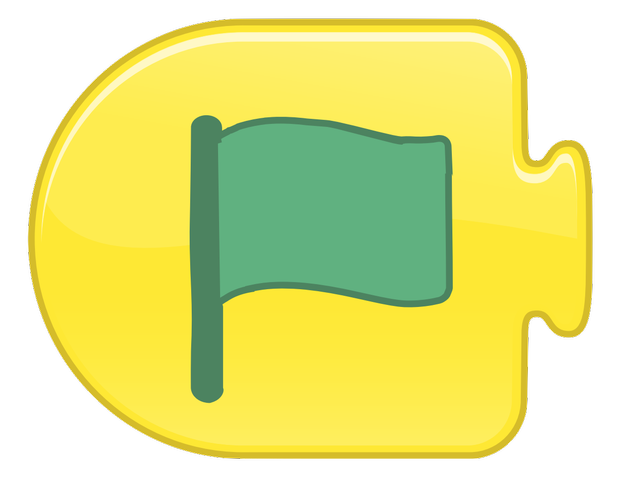
Q2.What is the stage in ScratchJr?
What is the stage in ScratchJr?
the place where the coding blocks go
the menu where you can choose sprites
Q3.Which of these blocks would make a sprite move to the right?
Which of these blocks would make a sprite move to the right?
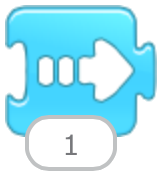
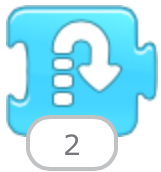
block 2
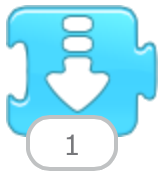
block 3
Q4.How can you find errors in your program?
How can you find errors in your program?
add more blocks
change the background
Q1 Scratch is a project of the Scratch Foundation. It is available for free at https://scratch.org. OR ScratchJr is a project of the Scratch Foundation. It is available for free at https://scratchjr.org. OR Scratch Foundation under CC BY-SA 2.0 Q3 image 1 Scratch is a project of the Scratch Foundation. It is available for free at https://scratch.org. OR ScratchJr is a project of the Scratch Foundation. It is available for free at https://scratchjr.org. OR Scratch Foundation under CC BY-SA 2.0 Q3 image 2 Scratch is a project of the Scratch Foundation. It is available for free at https://scratch.org. OR ScratchJr is a project of the Scratch Foundation. It is available for free at https://scratchjr.org. OR Scratch Foundation under CC BY-SA 2.0 Q3 image 3 Scratch is a project of the Scratch Foundation. It is available for free at https://scratch.org. OR ScratchJr is a project of the Scratch Foundation. It is available for free at https://scratchjr.org. OR Scratch Foundation under CC BY-SA 2.0
Assessment exit quiz
Download quiz pdf
4 Questions
Q1.Match the keywords to the definitions.
Match the keywords to the definitions.

the order in which things happen
a set of ordered commands that a computer can run to complete a task
an instruction you use to control something
Q2.What is a sequence?
What is a sequence?
a picture of a story
the fastest way to complete a task
Q3.Why won't this program run?
Why won't this program run?
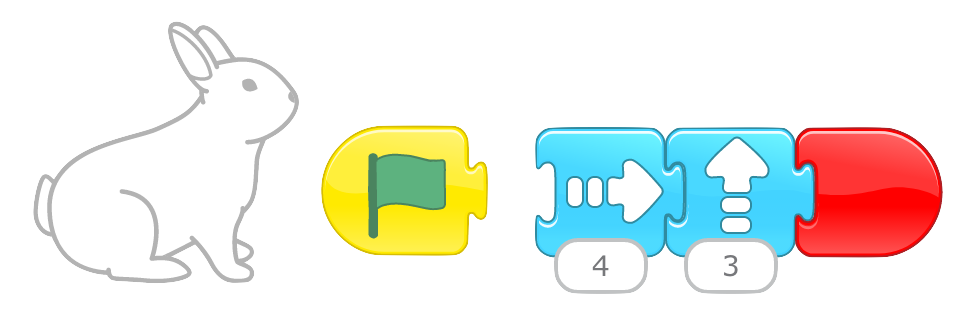
The program is too long.
The program does not have an end block.
Q4.How do you start a ScratchJr program?
How do you start a ScratchJr program?
The program runs automatically when you clip the blocks together.
Press the command blocks.
Q3 Scratch is a project of the Scratch Foundation. It is available for free at https://scratch.org. OR ScratchJr is a project of the Scratch Foundation. It is available for free at https://scratchjr.org. OR Scratch Foundation under CC BY-SA 2.0