


Foam modelling techniques


Lesson details
Learning outcome
I can use foam modelling to develop ideas.
Key learning points
- Foam is an effective modelling material for ergonomic testing.
- Hands-on modelling refines design concepts before final production.
- Iterative testing improves design functionality and user experience.
Keywords
Prototype - a simple, low-cost model made to check size, shape, and function
Styrofoam - a lightweight foam often used in modelling
Iterate - process of refining and improving a design
Common misconception
Models are the final design.
Iterative design uses prototypes to model and test ideas, gather feedback and improve.
Teacher tip
Encourage the students to evaluate their designs and suggest improvements.

Equipment
Modelling foam, workshop cutting and shaping tools and equipment.

Content guidance
Risk assessment required - equipment

Supervision
Adult supervision required

Licence

Lesson video
Loading...
Prior knowledge starter quiz
6 Questions
Q1.A polymer is a material made of long chains of repeating units called .
Q2.Match the type of polymer to the description.

Q3.Identify the general properties of polymers.
Q4.The of a material are characteristics that determine how it behaves.
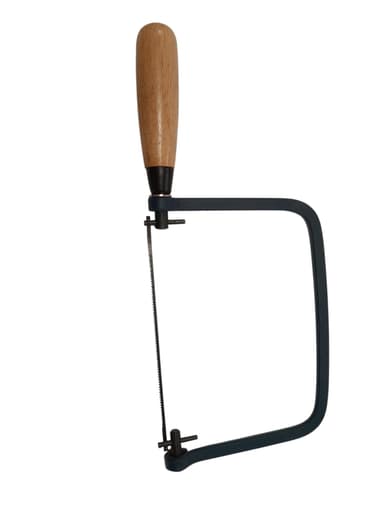
Q5.Name this tool.
Q6.A prototype is ...
Assessment exit quiz
4 Questions
Q1.What are the benefits of making a prototype?
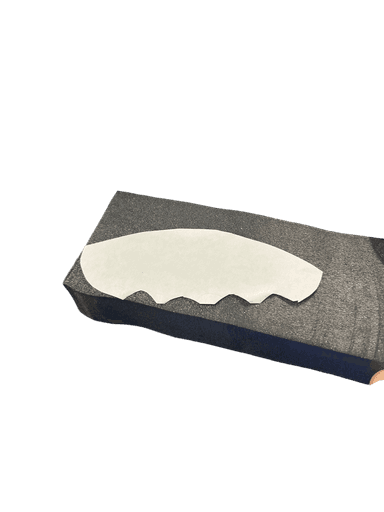
Q2.Name this grey material often used for prototyping?
Q3.Which grade of abrasive paper is smoothest and will give a fine finish?
Q4.Put these stages of the iterative process in order.
To help you plan your 8 design and technology lesson on: Foam modelling techniques, download all teaching resources for free and adapt to suit your pupils' needs...
To help you plan your 8 design and technology lesson on: Foam modelling techniques, download all teaching resources for free and adapt to suit your pupils' needs.
The starter quiz will activate and check your pupils' prior knowledge, with versions available both with and without answers in PDF format.
We use learning cycles to break down learning into key concepts or ideas linked to the learning outcome. Each learning cycle features explanations with checks for understanding and practice tasks with feedback. All of this is found in our slide decks, ready for you to download and edit. The practice tasks are also available as printable worksheets and some lessons have additional materials with extra material you might need for teaching the lesson.
The assessment exit quiz will test your pupils' understanding of the key learning points.
Our video is a tool for planning, showing how other teachers might teach the lesson, offering helpful tips, modelled explanations and inspiration for your own delivery in the classroom. Plus, you can set it as homework or revision for pupils and keep their learning on track by sharing an online pupil version of this lesson.
Explore more key stage 3 design and technology lessons from the Ergonomic design: accessible controllers unit, dive into the full secondary design and technology curriculum, or learn more about lesson planning.