


CAM: communal areas


Lesson details
Learning outcome
I can prepare and manufacture a 3D model using computer-aided manufacturing.
Key learning points
- 3D printing is also known as additive manufacturing process.
- Most 3D printers in schools use a process called fused filament fabrication (FFF).
- 3D models need to be prepared for printing using a slicing application.
- 3D printing allows manufacturers to change the design quickly and easily.
- There are basic design for manufacture rules to follow when producing models for 3D printing.
Keywords
Filament - thermopolymer material used by 3D printers to create objects
FFF - fused filament fabrication
DFM - design for manufacture
Common misconception
Any model can be 3D printed using fused filament fabrication 3D printing.
Design for manufacture rules need to be considered when 3D printing. Not all models are suitable.
Teacher tip
3D print a set of the reference models found in the lesson to give pupils a better understanding of the limitations of FFF 3D printing.

Equipment
Computers/laptops, mice, access to a 3D CAD applicaiton and slicing software. Access to a 3D printer.

Licence

Lesson video
Loading...
Prior knowledge starter quiz
6 Questions
Q1.The process of making products from raw materials using machines or labour is called ...

Q2.Why must a designer consider how to manufacture their design?
Q3.What are modifications?
Q4.Why must modifications sometimes take place once a manufacturing method has been decided?
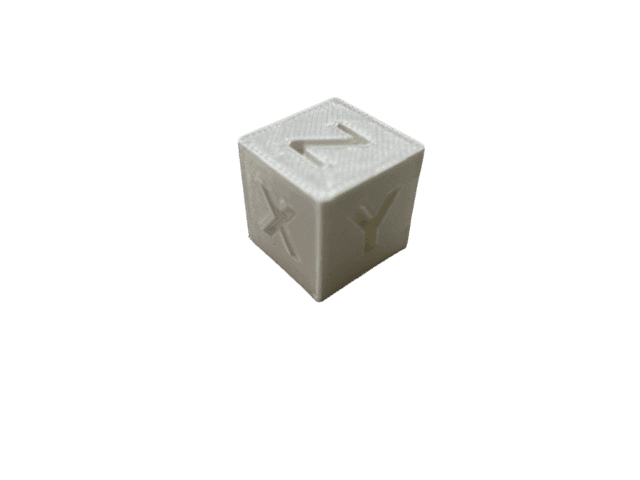
Q5.What CAM process would be used to manufacture this component?
Q6.What is the name of the CAM process that is a computer-controlled machine that cuts and shapes materials like timber, polymer, or metal and follows digital instructions to make accurate designs?
Assessment exit quiz
6 Questions
Q1.What does FFF stand for?
Q2.What type of manufacturing process is 3D printing?
Q3.What file type is used to export models ready for slicing?
Q4.When FFF 3D printing, what degrees should overhangs not exceed?
Q5.When FFF 3D printing, what should wall thickness be less than?
Q6.When FFF 3D printing, what is the maximum distance an unsupported bridge should be?
To help you plan your 10 design and technology lesson on: CAM: communal areas, download all teaching resources for free and adapt to suit your pupils' needs...
To help you plan your 10 design and technology lesson on: CAM: communal areas, download all teaching resources for free and adapt to suit your pupils' needs.
The starter quiz will activate and check your pupils' prior knowledge, with versions available both with and without answers in PDF format.
We use learning cycles to break down learning into key concepts or ideas linked to the learning outcome. Each learning cycle features explanations with checks for understanding and practice tasks with feedback. All of this is found in our slide decks, ready for you to download and edit. The practice tasks are also available as printable worksheets and some lessons have additional materials with extra material you might need for teaching the lesson.
The assessment exit quiz will test your pupils' understanding of the key learning points.
Our video is a tool for planning, showing how other teachers might teach the lesson, offering helpful tips, modelled explanations and inspiration for your own delivery in the classroom. Plus, you can set it as homework or revision for pupils and keep their learning on track by sharing an online pupil version of this lesson.
Explore more key stage 4 design and technology lessons from the Communal areas context unit, dive into the full secondary design and technology curriculum, or learn more about lesson planning.