


Programming sequences


Lesson details
Learning outcome
I can identify the start of a sequence.
Key learning points
- A sequence is a set of steps or actions which have a specific order.
- A sequence has a start and an end.
- Programs run in a sequence.
- Programs start with an event.
Keywords
Sequence - the order in which things happen
Command - an instruction you use to control something
Program - a set of ordered commands that can be run by a computer to complete a task
Common misconception
A program will run automatically whenever we require it.
A program will not run automatically. It needs a specific command or action to start (like clicking the green flag or double clicking on an icon).
Teacher tip
Teachers would benefit from having an understanding of the term �sequence�. An understanding of how sequences can be started in ScratchJr using the green flag would also be an advantage. These skills are supported in the slides.

Equipment
Pupils will need access to a device with block-based programming software. Examples in this lesson use ScratchJr https://oak.link/scratch-jr

Licence

Lesson video
Loading...
Prior knowledge starter quiz
4 Questions
Q1.Which block do you use to start a program in ScratchJr?
Q2.What is the stage in ScratchJr?
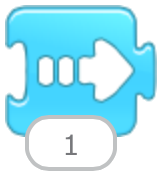
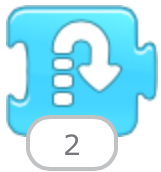
Q3.Which of these blocks would make a sprite move to the right?
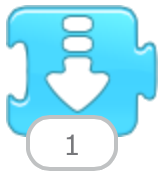
Q4.How can you find errors in your program?
Assessment exit quiz
4 Questions
Q1.Match the keywords to the definitions.

Q2.What is a sequence?
Q3.Why won't this program run?
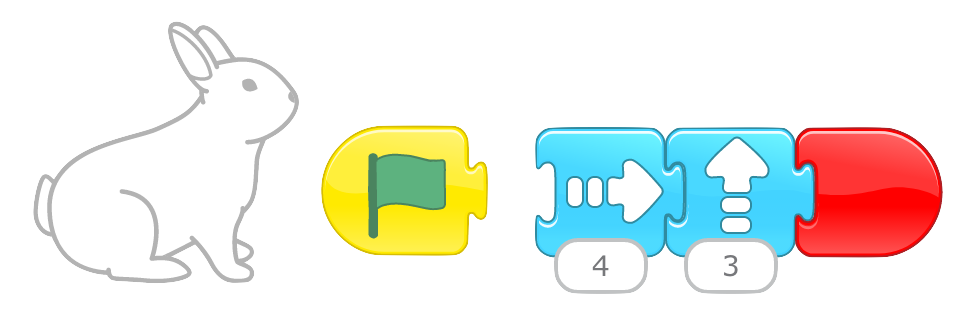
Q4.How do you start a ScratchJr program?
To help you plan your 2 computing lesson on: Programming sequences, download all teaching resources for free and adapt to suit your pupils' needs...
To help you plan your 2 computing lesson on: Programming sequences, download all teaching resources for free and adapt to suit your pupils' needs.
The starter quiz will activate and check your pupils' prior knowledge, with versions available both with and without answers in PDF format.
We use learning cycles to break down learning into key concepts or ideas linked to the learning outcome. Each learning cycle features explanations with checks for understanding and practice tasks with feedback. All of this is found in our slide decks, ready for you to download and edit. The practice tasks are also available as printable worksheets and some lessons have additional materials with extra material you might need for teaching the lesson.
The assessment exit quiz will test your pupils' understanding of the key learning points.
Our video is a tool for planning, showing how other teachers might teach the lesson, offering helpful tips, modelled explanations and inspiration for your own delivery in the classroom. Plus, you can set it as homework or revision for pupils and keep their learning on track by sharing an online pupil version of this lesson.
Explore more key stage 1 computing lessons from the Building sequences in programs unit, dive into the full primary computing curriculum, or learn more about lesson planning.