


Design development with CAD: communal areas


Lesson details
Learning outcome
I can use 3D computer-aided design to develop ideas.
Key learning points
- Virtual modelling is an alternative to physical modelling that brings different benefits to the designer.
- Virtual modelling is the creation of digital 3D representations of objects or designs.
- Virtual modelling using CAD can be useful for testing ideas.
- Designers test their designs to find out what works, what doesn't, and how to make them better.
Keywords
CAD - computer aided design
Virtual modelling - the creation of digital 3D representations of objects or designs
Development - improving and building on design ideas to make them better
Testing - trying something out to see if it works well
Common misconception
Modelling only takes place with physical materials.
Virtual modelling using 3D drawing software can help to see ideas in 3D and enables quick and easy iteration.
Teacher tip
Students may benefit from some flipped learning homework such as tutorials to remimd them or teach them how to use your chosen software prior to the lesson to enable a more productive lesson.

Equipment
Access to a 3D CAD application.

Licence

Lesson video
Loading...
Prior knowledge starter quiz
6 Questions
Q1.The process of refining and improving a design is called?

Q2.What can be used to help lead developments and iterations of our designs?
Q3.What is it called when you think about what you did and suggest any changes or improvements?
Q4.Which ways could a model of a design idea be evaluated?
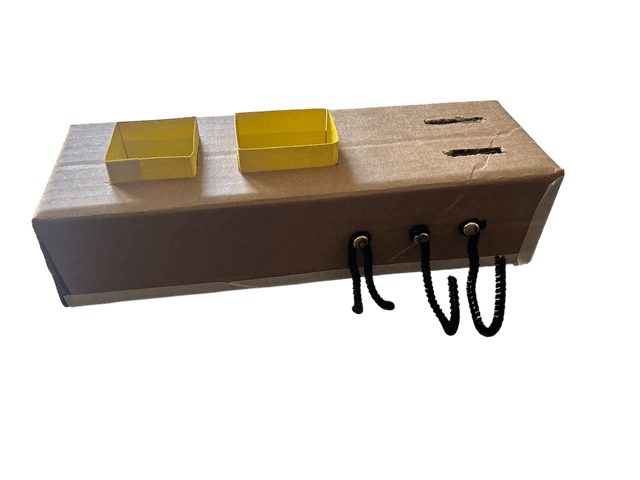
Q5.Which of these are evaluative comments?
Q6.Why do we use evaluations of our designs to develop further iterations?
Assessment exit quiz
4 Questions
Q1.Virtual modelling is ...
Q2.What benefits does virtual modelling using CAD have over physical modelling?
Q3.CAD files can be easily with users or team members.
Q4.In some CAD applications, your design can be tested in a simulation. Which of these are examples of tests that could be simulated?
To help you plan your 10 design and technology lesson on: Design development with CAD: communal areas, download all teaching resources for free and adapt to suit your pupils' needs...
To help you plan your 10 design and technology lesson on: Design development with CAD: communal areas, download all teaching resources for free and adapt to suit your pupils' needs.
The starter quiz will activate and check your pupils' prior knowledge, with versions available both with and without answers in PDF format.
We use learning cycles to break down learning into key concepts or ideas linked to the learning outcome. Each learning cycle features explanations with checks for understanding and practice tasks with feedback. All of this is found in our slide decks, ready for you to download and edit. The practice tasks are also available as printable worksheets and some lessons have additional materials with extra material you might need for teaching the lesson.
The assessment exit quiz will test your pupils' understanding of the key learning points.
Our video is a tool for planning, showing how other teachers might teach the lesson, offering helpful tips, modelled explanations and inspiration for your own delivery in the classroom. Plus, you can set it as homework or revision for pupils and keep their learning on track by sharing an online pupil version of this lesson.
Explore more key stage 4 design and technology lessons from the Communal areas context unit, dive into the full secondary design and technology curriculum, or learn more about lesson planning.